Step 1:
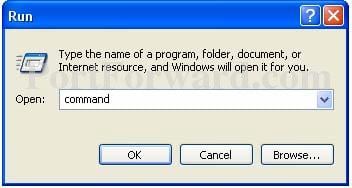
Open up the start menu, and click Run. You should now see the following window.
Step 2:
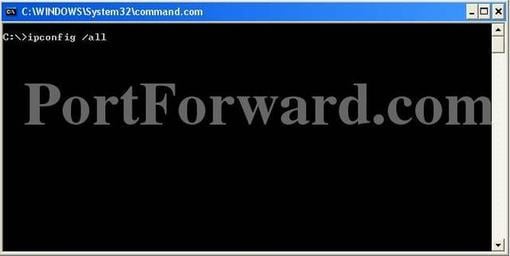
Type command in the Open: box, and click Okay. The will bring up a black command prompt window.
Step 4:
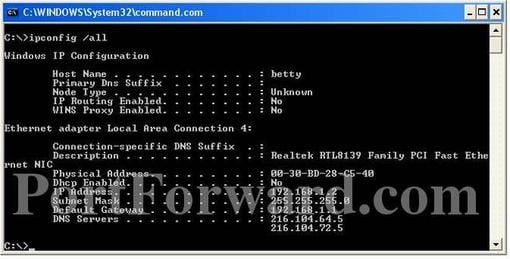
The command prompt may look different on your screen, but it doesn't really matter. Type ipconfig /all in that window, and then press the enter key. This will dISPlay a lot of information. If it scrolls off the top you may need to enlarge the window.
Step 4:
Take a look in this window you should see a Physical Address this is the MAC address of this computer.