When you want the IP address on a device to always stay the same, even when the device is rebooted, you will need to either make a DHCP reservation in your router or set a static IP address in the device. You will need to create a permanent IP address for the device.
Every device on your network has a unique IP address, and it is important that every device's IP address remains unique. In order to manage the IP addresses on your network, your router comes with a service called DHCP. DHCP stands for Dynamic Host Configuration Protocol, and as you'll soon see, dynamic is the important word.
IP Address Management
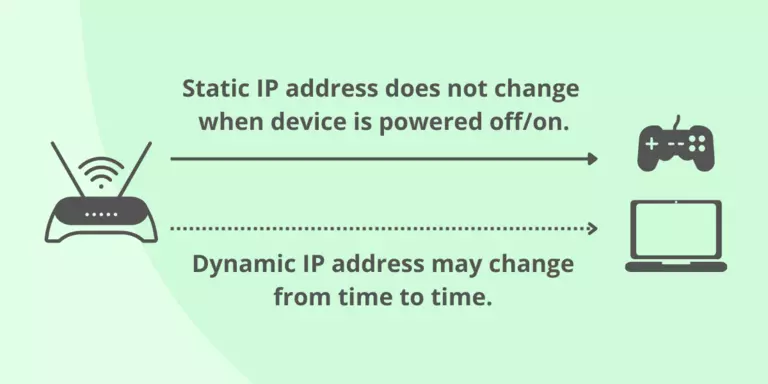
DHCP is the process that your router uses to assign IP addresses to devices on your network. Dynamic IP addresses are normally assigned to each device when that device connects to your network. This includes both when you first connect a device to your network and every time you reboot the device. This is why dynamic IP addresses can change from time to time.
Static IP addresses
In contrast, a static IP address is assigned inside the device itself. This means that the device's IP address never changes, but it also means that you have to manage all the IP addresses on your network yourself.
Free Guides on How to Set a Static IP Address
Sometimes you may need to set up a static IP address instead of a DHCP reservation, like when your router does not support DHCP reservations. Most modern retail routers do support DHCP reservations, but many inexpensive and ISP-provided routers do not. If your router does not support DHCP reservations, then you have no choice but to use static IP addresses.
Another reason to use static IP addresses instead of DHCP reservations is when you have a device that is on an unstable network. When a device boots up and attempts to connect to a DHCP server, it must wait for the DHCP reply before it can talk on the network. Some devices wait a long time. If your network is unstable or your device is on the edge of Wi-Fi coverage, you might notice exceedingly long boot times while the device waits for a DHCP packet. This problem is avoided by setting a static IP address on the device.
You can follow the guides below which will walk you through the steps to set a static IP address, or you can use our Free Software to do it for you.
How to Configure a Static IP Address on a Computer
If you are going to set up a port forward to your computer you want a static IP address on your computer so that it gets the same IP address every time it reboots. Otherwise, the port forward will no longer be pointing to your computer. Set a static IP address on your computer using these guides:
Set a static IP in Windows 11 on your PC
Set a static IP in Windows 10 on your PC
Set a static IP in Windows 8 on your PC
Set a static IP in Windows 7 on your PC
Set a static IP in Mac OS X on your PC
Set a static IP in Windows Vista on your PC
Set a static IP in Windows XP on your PC
Set a static IP in Windows ME on your PC
Set a static IP in Windows 2k or 2000 on your PC
Set a static IP in Windows 98 on your PC
How to Configure a Static IP Address on Game Consoles
Every time your game console turns on it asks your router for an IP address. Many routers will hand a different IP address to your console every time. If you have created a port forward pointing at your console and your console's IP address changes, then that port forward is not going to work. If your console has a static IP address, then every time you turn it on it has the same IP address, and your port forwards always work.
Our free step-by-step guides take you through the process of setting up a static IP in your game console.
Set a static IP on Xbox Series X|S
Set a static IP on Xbox One
Set a static IP on PS4
Set a static IP on Xbox 360
Set a static IP on PS3
Set a static IP on Nintendo Wii
For more help with port forwarding visit our Network Help Center.